|
|
Don't want to miss a single bit? Subscribe to our RSS Feed!
Google Chrome extensions are now fully supported by the browser, With over 600 extensions already available, some are starting to stand out as the most popular either because of their being practical or just plain cool. Here we are writing about 17 popular Google Chrome Extensions Addons which are really useful to Google Chrome Users.
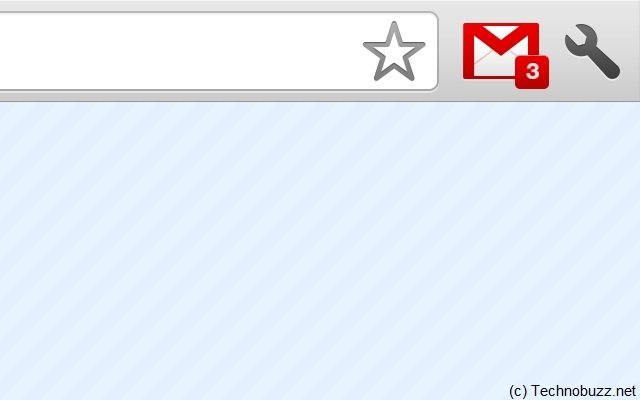
It’s simplicity at its finest; all it does is to add a button to the Chrome toolbar with a small number beside it showing the number of unread emails. Clicking on it opens up Gmail in a new tab and that’s it. Maybe a preview or the name of the sender would have been a nice touch and maybe we’ll get that in a future version but, for now, things are kept to a minimum, not that there’s anything wrong with that.
This one is an absolute must-have. Built by the Translate team, it doesn’t try to be flashy or flood the user with options. It just works; visit any site that isn’t using the default language set in Chrome and the extension will detect the new language and offer to translate the page into your native language. Click the translate button and, in a few seconds, the speed at which the translated page loads is impressive, you’re done. If it fails to automatically detect the language, you can click on the button in the toolbar and optionally select the language in which you want the translation.
3. AdThwart
Another most popular Chrome extension at the moment. For the most part, it works pretty much like AdBlock and most ads will be gone if you enable it. You can add your own custom filters and, a nice touch, it has a notification icon that shows up in the omnibox every time a page has items blocked. Unfortunately, ad blockers, for now, aren’t on par with the ones for Firefox though this seems to be a limitation in the way Chrome handles extensions. The biggest drawback is that all the ads are loaded and even displayed for a brief period before the page finishes loading and only then the ad blockers, both in the top 10, come in and remove them.
A simple extension with a self-explanatory name. It adds a small icon to the Chrome toolbar, which shows the number of unread Waves, if any. There are a few customization options and clicking on the icon will pop up a small preview of the wave. Considering that Wave notifications were among the most requested features, it really doesn’t have to do anything else to be very popular and useful.
This little tool, made by Google, does exactly what it’s intended and nothing else. It ads a small icon in the Chrome omnibox every time a feed is detected on a page, very similar to how Firefox handles the same job. Clicking on it will display the feed and allow you to subscribe to it in any popular feed reader. It’s not exactly perfect; it sometimes fails to fetch the feed even though it detects it. Also, if you use it with Google Reader, it doesn’t automatically subscribe you to the feed, it just opens it in Reader requiring an extra step. This may be a limitation with Reader though rather than the extension.
6. Xmarks
Xmarks is the single best browser add-on I’ve ever used. It lets you keep your bookmarks in synch among multiple computers using multiple operating systems using multiple browsers — and now, finally, it’s available for Chrome. I use Firefox on the PC, Mac and Linux; Internet Explorer on the PC; Chrome on the PC; and Safari on the Mac, and thanks to Xmarks, no matter which browser I use, my bookmarks are always up to date on every browser.
Google Quick Scroll solves my biggest complaint when doing searches — after you click a search result and go to a Web page, you don’t know where to find the text you searched for. With this nifty extension, after you do a search and end up on a page, you’ll see text at the bottom right of Chrome, as you can see below, that shows the text in context on the page. Click it and you jump directly to that text. It’s one of the biggest time-savers for frequent Internet searchers.
Any Chrome user who uses Facebook will want the Facebook for Google Chrome extension. Click its icon, and you’ll be able to read your Facebook news feed and wall, as well as update your status, without having to visit Facebook. You can see it in action, below.
9. FlashBlock
Do Flash ads and other Flash content annoy you? If so, join the club — and get rid of them. This extension will block Flash content on Web pages, but also let you decide on a which sites on which you want to allow Flash.
10. AdBlock
Unsurprisingly, a couple of the most popular extensions are ad blockers, by far one of the most appreciated type of add-ons for Firefox. AdBlock, despite sharing the name with a great Firefox add-on, doesn’t seem to have any connection to it. It does what it’s supposed to do, blocks ads, and the developers say it handles Facebook ads, as well as Flash animations. It has a “blacklist” and a “whitelist” feature, both of which are still in beta and allow users to select the blocked items with a couple of keyboard shortcuts.
11. Cooliris
This is the Google Chrome version of the popular desktop application with the same name. It offers an interesting alternative to viewing photos by using a gorgeous 3D interface, which the developers claim is the fastest way to browse through photos on Facebook, Picasa or even on your desktop but also through image search results on Google, Flickr and others. Unfortunately, this extension is Windows-only for the moment though Cooliris states other OSes will be supported soon with a Mac extension apparently in the works.
12. Docs PDF/PowerPoint Viewer
Built by Google, this extension is a great tool that should save you a lot of hassle and the trouble of having to install, sometimes huge, applications just to view a PDF file. With it, any link to a PDF or PowerPoint file opens up in a new tab in the lightweight but very capable Google Docs Viewer. No more unwieldy plug-in or external programs, people who want to keep it nice and clean will love this one.
13. IE Tab
Like it or not, there are plenty of Web pages built specifically for Internet Explorer. Visit one of them in Chrome and it breaks … unless you have IE Tab. Similar to an extension that does the same thing for Firefox, it will let you view a site using IE right inside a Chrome tab.
14. LastPass
LastPass is a free online password manager and Form Filler that makes your web browsing easier and more secure. LastPass supports Chrome, Firefox, and IE as Plugins (Opera, Safari, Opera Mini via Bookmarklets), allows you to import from every major password storage vendor (such as Roboform, Keepass, PasswordSafe, MyPasswordSafe, Sxipper, TurboPasswords, PassPack, Firefox and IE’s built in password manager) and export too, captures passwords that other managers won’t including many AJAX forms, and allows you to make strong passwords easily. Your sensitive data is encrypted _locally_ before upload so even LastPass cannot get access to it. One Time Passwords & Screen Keyboard help protect your master password.
15. Click & Clean
1-click automatic and secure deletion of browsing history. Erases all temporary internet files, typed URLs and another crap from your PC.
16. Google Chrome Backup Extension
Google Chrome (web browser) has just hit the world. Google Chrome backup is a small tool to create, backup, restore and manage Google Chrome profiles. The profile holds personal data like history, bookmarks, etc. Everything is done with one click.
17. Gtalk Extension
The extension as the name suggests adds a button to your toolstrip of Google Chrome and when clicked upon opens a new small window which asks you to put your Google Account username and password and you can start to chat immediately.


6 Responses
[...] 17 Popular Google Chrome Extensions Addons Submitted by Nirhana [...]
[...] es la migración a que sea un software de multiproceso. Un claro ejemplo de este tipo de software es Google Chrome y Explorer 8 que lo han adoptado para mejorar considerablemente el desempeño de sus [...]
I love LastPass and Xmarks. I was so happy to see that both of those are available for Chrome. Ad blocking is also great. The major missing Chrome extension in my view is something akin to Firefox’s Tab Mix Plus. If I could get something like that, I’d probably switch to Chrome permanently. As it stands though, I have Firefox so finely tuned with Tab Mix Plus that I will stick with Firefox until better tab controls are available in Chrome.
[...] Read Also: 17 Popular Google Chrome Extensions [...]
[...] 4 with new features like Bookmark Sync and Extension added. Also some months back we mention about some of the best extensions of google chrome which will help you browse easily and do multiple task with google chrome. Google Chrome will now [...]
[...] Read Also: 17 Popular Google Chrome Extensions [...]