
Want to create a new partition on your Windows hard disk or resize any partition on your Windows 8, 7 or Vista PC. I know that its not a easy task to do, but with the help of good application you can create and resize partitions in Windows within a minute. EASEUS Partition Manager is all in one disk management utility, which allows you to create partition, manage partitions and extend partition in Windows 2000/XP/Vista/Windows 7 SP1/Windows 8.
Not only you can create partitions, but also change the label of disk drive, name of the partition, hide partition and more with this all in one tool. So today in tutorial, I’m going to show you how you can create partition on your Windows Drive and resize the windows drive. Important Note: Please backup your data before attempting to make changes to the partitions on your computer.
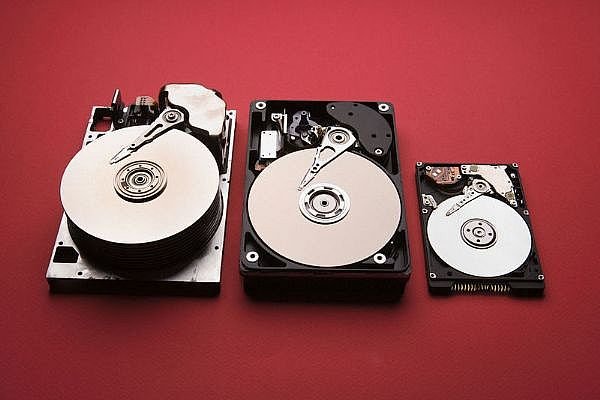
How to Create Partition in Windows
First download and install Easeus Partition Master Home Edition on your Windows. After the installation run the application from your desktop, on the main screen on the application you can see the list of drives. From here you have to select the drive which you want to resize and create a partition.
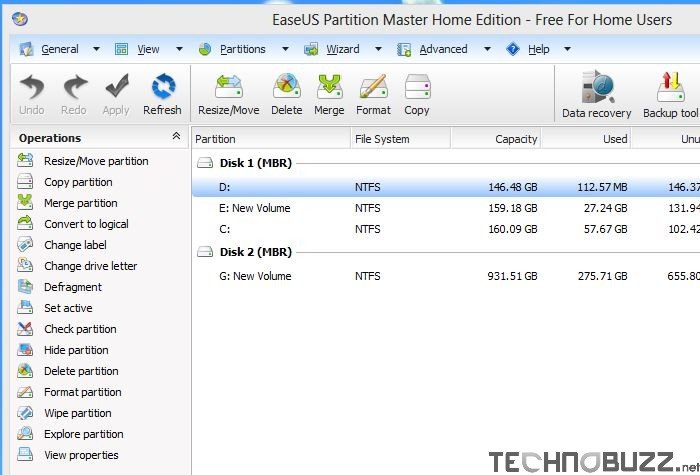
Once you selected the drive, hit the Resize/Move partition from the toolbar. Now a new window opens up and lets you enter the new settings that you would like to use. From the given box on the screen you can enter the size of partition that you want to make or you can use the slider bar from above to create and resize partition on your Windows hard drive.
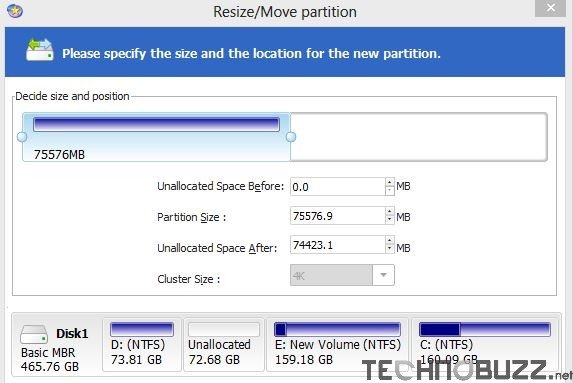
Now hit the ok button, It’s probably best to note that no changes have actually been made at this time. All the changes are made on after the reboot. With the help of other tools you can merge two drive into one, change drive name, hide the hard drive and more. If you are ready to complete the change, click the close button on the application, then a new popup come on your screen which prompt you about the changes that you are doing on the hard disk.

Before hitting the ok button from that screen, please make sure that you have backed up your important data. Click Yes and the PC will reboot and the process will take some time to create and resize the partition of Windows PC. After finishing the process you can see the new partition on your Windows.
Video Demo:-
EASEUS is a freeware partition manager for Windows. Most versions of Windows are supported, however 64-bit Vista is not. Download your copy today to create and mange Window partition easily
