
After the the release of Google+, today Google previewed some “interface updates” for its Gmail service. So in Coming days you will see the new interface in your Gmail Inbox. But until then, you can enjoy the new look of Gmail with a simple trick. Which will help you to get the new Gmail Look. The new Gmail design will help you to strip out unnecessary clutter and make Gmail as beautiful as it is powerful.
Here are the Steps Which will help you to get the New Look of Gmail:-
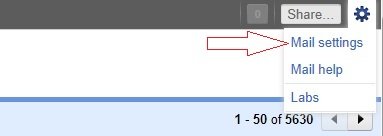
1: Log into Gmail account and click “Mail Settings” option in the pop-down menu.
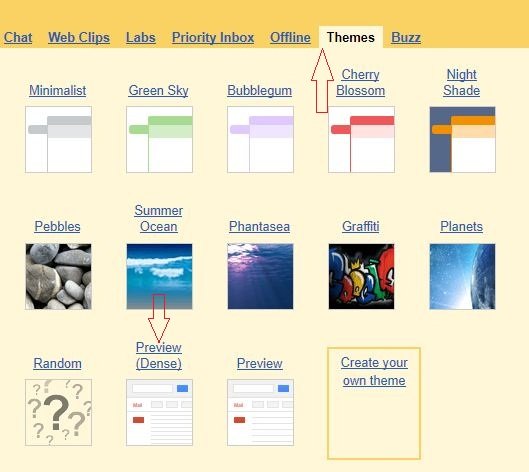
2. Now Click on the “Themes” and select the theme named Preview (dense) themes.
3. Thats it! Now new Gmail look is activated in your Gmail Inbox
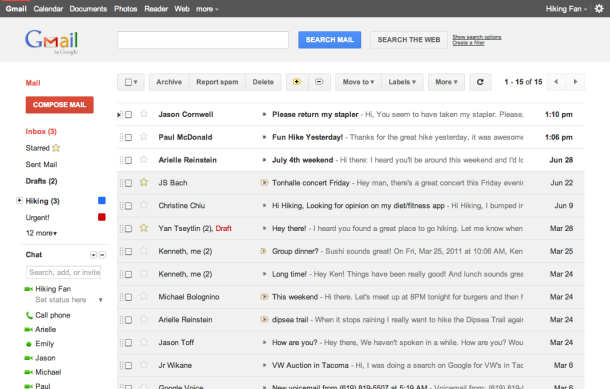
So tell me readers do you like these new design changes Google is making?

Thank you. It looks nice.
Thanks. Nice change.