
If you are going to close your Facebook account or want to delete your account and want to download all your Facebook data that you posted on your Facebook profile. Yes now you can bulk download your Facebook data easily. Here is the simple way which will help you to Download all your Facebook Data like profile pictures, personal information, videos, Photos and everything you uploaded on Facebook. To do this you need any app or tool, it’s a inbuilt feature of Facebook, which they recently launched. Below is the guide which helps you download your Facebook archive and what exactly it contains.
1. Login to You Facebook Account.
2. Now click on the “Account” option on the left top corner of your page. From the drop down list select “Account settings”. Or go to this page https://www.facebook.com/settings

3. Now Click on “Download Your Information” link under “Setting” tab.

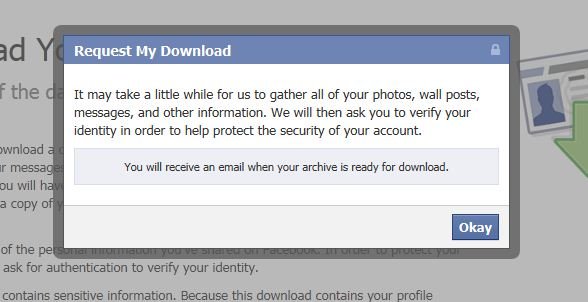
4. Just click the “Download” option and It will take some time to collect all the posts and data that you have in your Facebook account. It will take some time upon the size of your data, Obviously, the more data you have on Facebook the longer it will take. When the archive is ready the Facebook itself will sent you an email.

5. Now Come Back to the Download Page, Enter your password and download the Zip file on you PC.

Check out the How to Video Below:-
That’s it! Now you have all Facebook Data on you PC. Read also:- How to Download Facebook Photo Albums on iPhone and Tips to Avoid Facebook Scams and How to secure your Facebook account

I loved your article again as it has no competent. Further I’m waiting more articles like this.