
Xmarks is one of the popular addon which helps you to sync your bookmarks, and open tabs backed up and synchronized across computers and browsers. The best thing about this addon is that it work on all browsers like Firefox, Chrome, Safari and Internet Explorer. With the help of this cool addon you can sync your bookmarks in any browser or any computer online, no need to carry all you bookmarks on USB drive or any other other storage. Just login to Xmarks and restore all your bookmarks in one click in any browser.
To use this application all you have to install Xmarks addon on your browser and sign in your account to sync bookmarks, and it seamlessly integrates with your web browser and keeps your bookmarks safely backed up and in sync. Also you can access your bookmarks from any web browser or mobile phone by logging in at https://my.xmarks.com. So lets some to point and discuss how you can sync your bookmarks from one computer to another.
How to Sync Bookmarks from One Computer to Another
Step 1. Go to the Xmarks Web page and install the addon on your browser to get started. In this tutorial we are using the Firefox browser to sync our Bookmarks.
Step 2. After the installation of addon on your Firefox browser, go to the Addon > XMarks and select option from the page. On the First screen it will ask you to Run Setup Wizard.
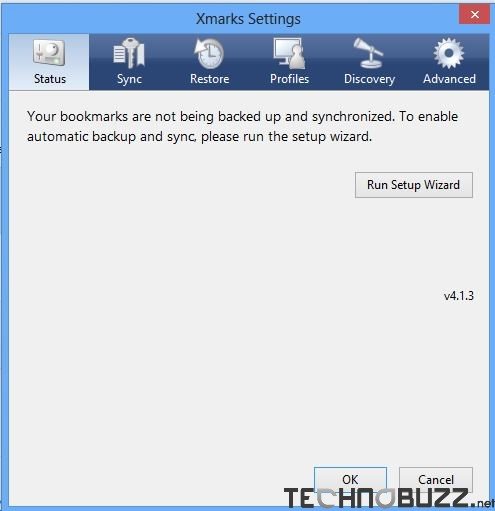
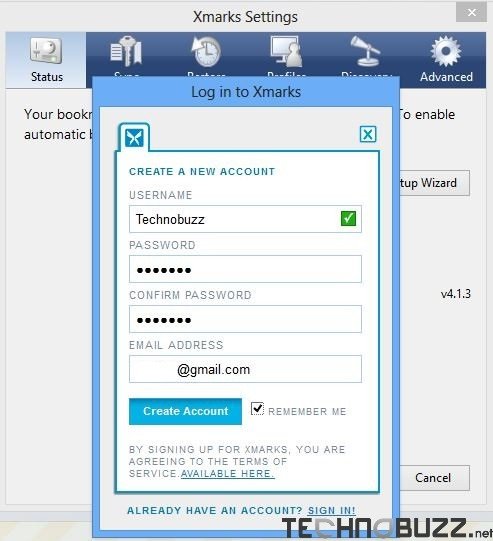
Step 3. Run the Setup wizard from here, now you have to Enter your login id and pass word to run the sync process on your browser. If you don’t have the account, you can create a free account with them. You have to use this account all the time when you try to sync your bookmarks from on pc to another pc or one browser to another.
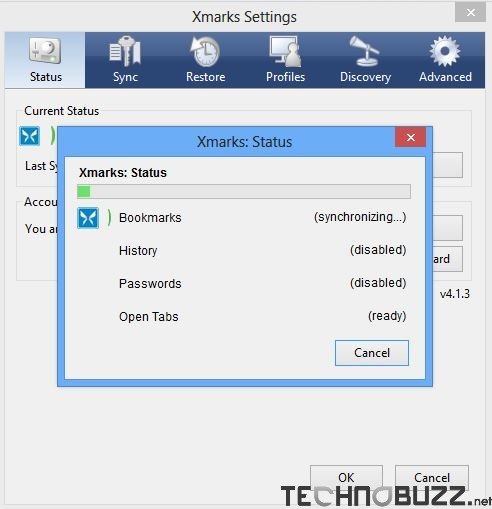
Step 4. After setup your account, you are ready to use the Xmarks addon your browser. Now you can see the “Synchronize Now” Option on the main screen of Xmarks. Hit that button to sync your bookmarks with Firefox, the process will take some time to complete the sync process. Once it was complete you will get the message that your Synchronization is complete.
Step 5. Now all you bookmarks stored on your Xmarks Account. To restore them in other browser or PC. Run the Xmarks addon on that PC, log in with your Xmarks ID and password. Now go to the restore option of Xmarks and you can see the list of last Bookmarks sync set on the page, from here select the bookmarks set to restore on your browser.
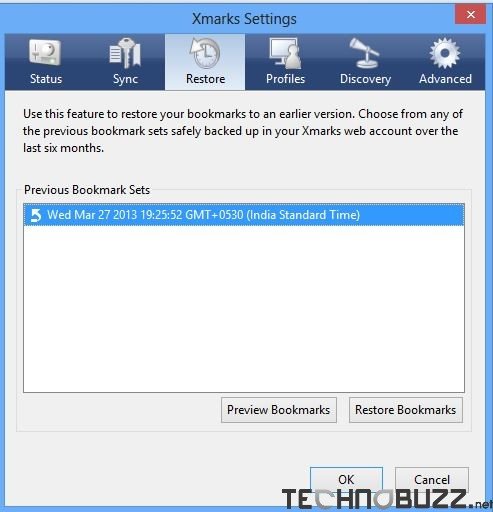
That’s it now you bookmarks are restored in other PC or other browser. One of the best way to sync your bookmarks to any browser or any PC. With the premium service of this addon you can also sync your Bookmarks with iPhone, Blackberry and Android. It’s a must-be if you use more than one computer and you like to have on both computers the same bookmarks/favorites.
Download Xmarks Addon here

Comments are closed.