Subscribe: Follow via RSSFollow via TwitterFollow via FacebookFollow via FreiendFFeedFollow via Email

Recover Files from Scratched CDs & DVDs

June 19, 2009 by Raj  
Filed under Freeware, Software

Some months back we mentioned about the 5 ways to Repair & Recover Damaged CD’s Or DVD’s, now today we found a new app which will help you too Recover Files from Scratched CDs & DVDs. Roadkil’s Unstoppable Copier is a free app for Windows & Linux which helps you to recovers files from disks with physical damage.

CD, cd-dvd tools, dvd, file recovery, repair files
Read more

Locate and recover your Lost Data

December 31, 2008 by Raj  
Filed under Data Recovery

It’s happened to all of us at some point. One stray mouse click or mistakenly formatted your hard drive and poof! You’ve deleted a file that you did not mean to. But must it really be the final goodbye to that file? And now you want some of your data Back. Happily, there are tons of tips and tools available to recover deleted files from the nether regions of a hard drive… Stellar Phoenix Windows Data Recovery is one of them. It can recover data from windows based file systems only. It will allow you to get back over 300 types of files, covering the most commonly used ones.

Lets take a look, How to Locate and recover your Lost Data:-

1. You have to select a drive and it will scan the drive for lost files. The scan can generally take time depending on ‘Standard’ or ‘Advanced’ Scan or the size of your hard drive. Scan will take Some time. Check the Screen Shot Below:

1

Read more

5 ways to Repair & Recover Damaged CD’s Or DVD’s

December 29, 2008 by Raj  
Filed under Data Recovery, How to, Tools, Top Stuff

Ever been in situation where you need to install softwares from an old CD-ROM, or perhaps retrieve backups of your works? It must be a frustrating experience when you found out that your data couldn’t be retrieved because the CDs has been scratched. There are so many Softwares are available on the net which will help you to Repair & Recover Damaged CD’s Or DVD’s. Here are some of them for you guys.

http://billmullins.files.wordpress.com/2008/07/windowslivewriterfixdamagedcddvdsfreecdrecoverytoolbox-b06ecdrecovery-page03normal-thumb1.gif

Read more

How to Recover Deleted Pictures from Digital Camera

November 2, 2008 by Raj  
Filed under Data Recovery, Software, Tools

If you’ve accidentally deleted images from your digital camera’s memory card, or somehow corrupted the card, use the Digital Photo Recovery tool to get them back.

Free Art Plus Digital Photo Recovery tool can help you recover lost images from corrupted or accidentally formatted digital camera memory cards. Program works with all types of memory cards. It’s able to recover images from formatted cards. Reads corrupted cards (even if they’re not recognized by Windows).

How to Recover Deleted Pictures from Digital Camera

Read more

Portable Undelete Plus: Recover Delete Files

October 30, 2008 by Raj  
Filed under Data Recovery, Software

Undelete Plus makes for an effective instrument for accidentally deleted files. It can also recover files that have been emptied from the Recycle Bin, permanantly deleted files within Windows using the Shift + Delete, and files that have been deleted from within a Command Prompt.

Undelete Plus allows the following tasks to be performed:

· Recovery of deleted files from NTFS/NTFS5, FAT12/FAT16/FAT32 volumes.
· Restoring deleted files on Windows 2000, Windows XP, Windows 98, Windows ME, Windows NT, Windows 2003, Windows Vista.

Portable Undelete Plus: Recover Delete Files

See Also: 200+ Portable Apps for USB | Free Portable Softwares
See Also: 11 Sites for Free Full Length Movies | Watch Hollywood Movies
Read more

Backup and recover e-mail messages with Mailstore

September 12, 2008 by Raj  
Filed under Backup utilities, Email, Office, Outlook Express, Software

MailStore Home is a desktop e-mail archiving solutions for single users. You can get it up and running on your personal computer within minutes.
With MailStore Home, you can store hundreds of thousands of e-mail messages and attachments in one permanent archive – “your MailStore”. All the messages are stored MIME-compatible and they can be recovered at any time without information loss.

Read more

6 ways to Recover Deleted Files

August 16, 2008 by Raj  
Filed under Data Recovery, Tips N Tricks, Utilities

Sometimes by Mistake we delete those files which are useful for us. And there is unfortunately no direct way to recover the files in windows which means that we have to rely on third party tools to recover lost files. So am Here posting the 6 way to recover the Files form Windows Easily.

6 ways to Recover Deleted Files

1. Pandora Recovery – Pandora Recovery is a powerful free tool that provides its users an effective way to attempt recovery of permanently deleted files. And that does not mean restoration of a file from Recycle Bin. Pandora Recovery actually recovers files permanently removed from Recycle Bin, files originally deleted using Shift + Delete keys bypassing Recycle Bin and files deleted from DOS prompt.

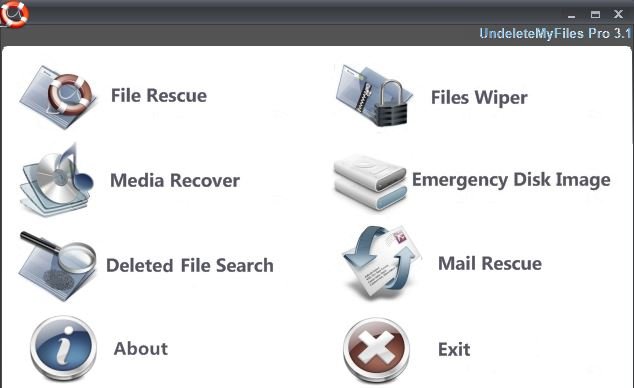
2. UndeleteMyFiles- UndeleteMyFiles is a quick and easy way to find and recover deleted media and digital devices.It employs a simplified two-step process that enables you recover any files that used to reside on your system. The interface is very easy to use, just select the device that contains the files that need to be recovered and specify the folder to save the files to.

3. Undelete Plus- Undelete Plus is a quick and effective way to retrieve accidentally deleted files, files removed from the Recycle Bin, in a DOS window, from a network drive, from Windows Explorer with the SHIFT key held down.

4. Handy Recovery- Handy Recovery is an easy-to-use data recovery software designed to restore files accidentally deleted from hard disks and floppy drives. The program can recover files damaged by virus attacks, power failures and software faults or files from deleted and formatted partitions. If some program does not use Recycle Bin when deleting files, Handy Recovery can restore such files. It can also recover files moved to Recycle Bin after it has been emptied.

5. Restoration- Restoration is an easy to use and straight forward tool to undelete files that were removed from the recycle bin or directly deleted from within Windows, and we were also able to recover photos from a Flash card that had been formatted. Upon start, you can scan for all files that may be recovered and also limit the results by entering a search term or extension.

6. TestDisk- TestDisk has features for both novices and experts. For those who know little or nothing about data recovery techniques, TestDisk can be used to collect detailed information about a non-booting drive which can then be sent to a tech for further analysis. Those more familiar with such procedures should find TestDisk a handy tool in performing onsite recovery.

Blog Widget by LinkWithin

Next Page »