Customize Gmail Look with Minimalist Gmail
Minimalist Gmail is the new firefox extension which helps you to customize and remove unwanted things from Gmail. It can hide header, footer, and sidebar elements for an elegant look. You can take out individual buttons and menus and, yes, even ads. After installing the extension, you’ll get a “Minimalist Gmail” menu in the upper-right corner of Gmail. Click it, and you’ll have the option to hide whatever pieces of the Gmail interface you want.
Download Minimalist Gmail Firefox Addon here
See Also: 40+ Greasemonkey Scripts For Gmail & Google
Refresh Firefox Webpage Automatically with ReloadEvery
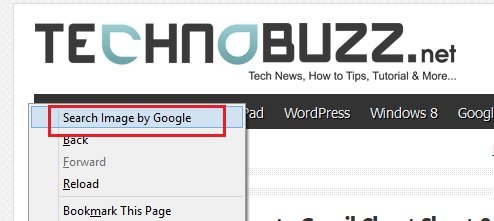
The ReloadEvery Firefox extension will reload web pages every so many seconds or minutes. The function is accessible via the context menu (menu you get when you right click on a web page) or via a drop down menu on the reload button. Once you’ve installed it and restarted Firefox, just head to Woot (or whatever page you want to auto-refresh), then click the little arrow next to the Refresh button and choose your desired interval:
Alternately, you can right-click anywhere on the page and choose the ReloadEvery menu. The extension works on a per-tab basis, meaning you can choose different refresh rates for different sites.
ReloadEvery [Mozilla Add-ons]
Plugin Check: Keep Your Firefox Plugins Up to Date
Mozilla launched a new service called Plugin Check to help Firefox users keep a select number of popular browser plugins up-to-date. As you may know, you can check for updates yourself by clicking Tools, Add-ons, Updates, or just wait for the browser to notify you (which it does automatically from time to time). Plugin Check takes the form of a Web page that displays information about a limited number of visitors’ plugins, specifically whether the plugins are up-to-date or whether a more recent release is available.
Read Also: 200+ Cool Firefox Wallpapers
In just a few seconds you’ll see the results for all your Plugins. Hopefully they’re all green, meaning “up to date,” but you may see some that are yellow, meaning an update is required.
Check Plugin Check here
Clean up Old Bookmarks with Bookmarks Archiver
Bookmarks Archiver is nece Firefox Addon which Allows you to cleans out those old bookmarks that you never use, but still have cluttering up your bookmarks menu. The Bookmarks Archiver add-on has been created as a semi-automatic option to delete or archive bookmarks that have not been visited for a certain time. The default days are set to 90 but it is possible to change that figure according to the specific needs of the individual user.
Share Firefox Bookmarks, Settings with Other PC : Weave Sync
July 28, 2009 by Raj
Filed under Backup utilities, Firefox
With Weave Sync you can have your Firefox browser on any computer. A new Firefox plugin from the folks at Mozilla, known as Mozilla Weave Sync, allows users of the latest incarnation of the browser to easily and securely share their bookmarks, tabs/browsing history, settings, and even saved passwords across different computers. It synchronizes the Firefox browser so that you can have your bookmarks, web history and everything else always with you.
OpenXML viewer – Open Docx Files in Firefox
July 17, 2009 by Raj
Filed under Firefox, Microsoft Office
Now you can open Docx Files without Microsoft 2007 in your Firefox Browser. OpenXML viewer is Firefox Addon which helps you to open Docx file in you Firefox. OpenXML is a free and open standard from Microsoft. MS Word 2007 document files are stored using OpenXML. The OpenXML Document Viewer application was designed to be a browser plugin, that can be used on computers which dont have Microsoft Office 2007, to view the Word 2007 files using just the browser.
Post to Twitter from the Firefox address bar : TwitterBar
Twitter is the micro-blogging site that is getting ever more popular. With posts limited to 140 characters the emphasis is on quick and easy. TwitterBar is a twitter FireFox extension which lets you tweet directly from the FireFox address bar! A small Twitter icon sits to the right of your address bar; clicking on it will post your tweet, and you can hover your mouse over it to see how many characters you have left.